
01
Restaurant reservations
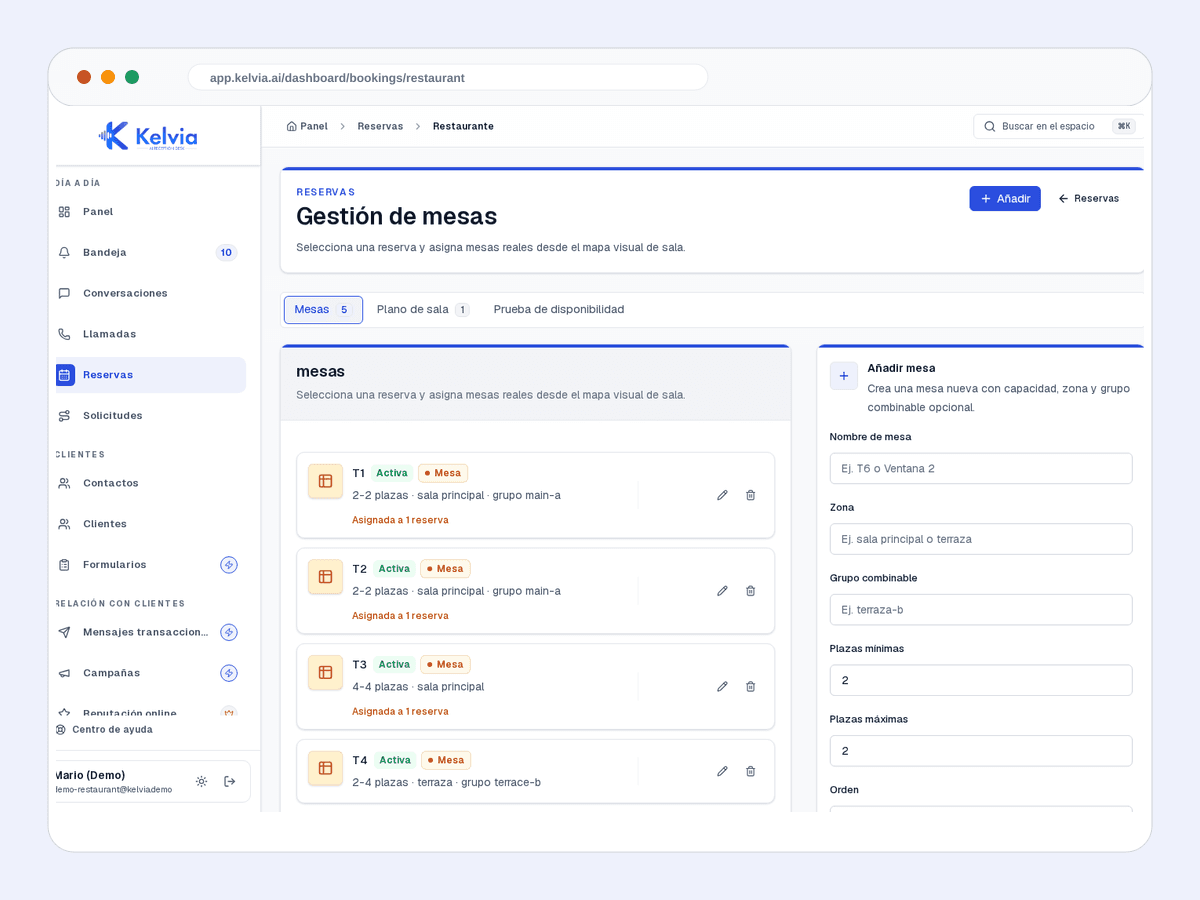
Tables, times and reservation requests ready for review.
Kelvia starts with restaurants vocabulary, services, FAQs and routing, then keeps every outcome visible in the dashboard.
Start from restaurants presets, add services or FAQs, and test the front desk before sending real traffic.
Handles common questions about services, hours, prices, policies and availability in the language of restaurants.
Keeps customer context, consent and conversation history tenant-scoped so repeat customers do not start from zero.
Books tables with date, time, party size, name, phone and special notes through the restaurant booking workflow.
Answers questions about dishes, prices and allergens from the configured menu catalog.
Supports restaurant table capacity, service windows and assignments where table management is configured.
Product screenshots captured from demo tenants, cleaned of test banners and setup tips.
Tables, times and reservation requests ready for review.
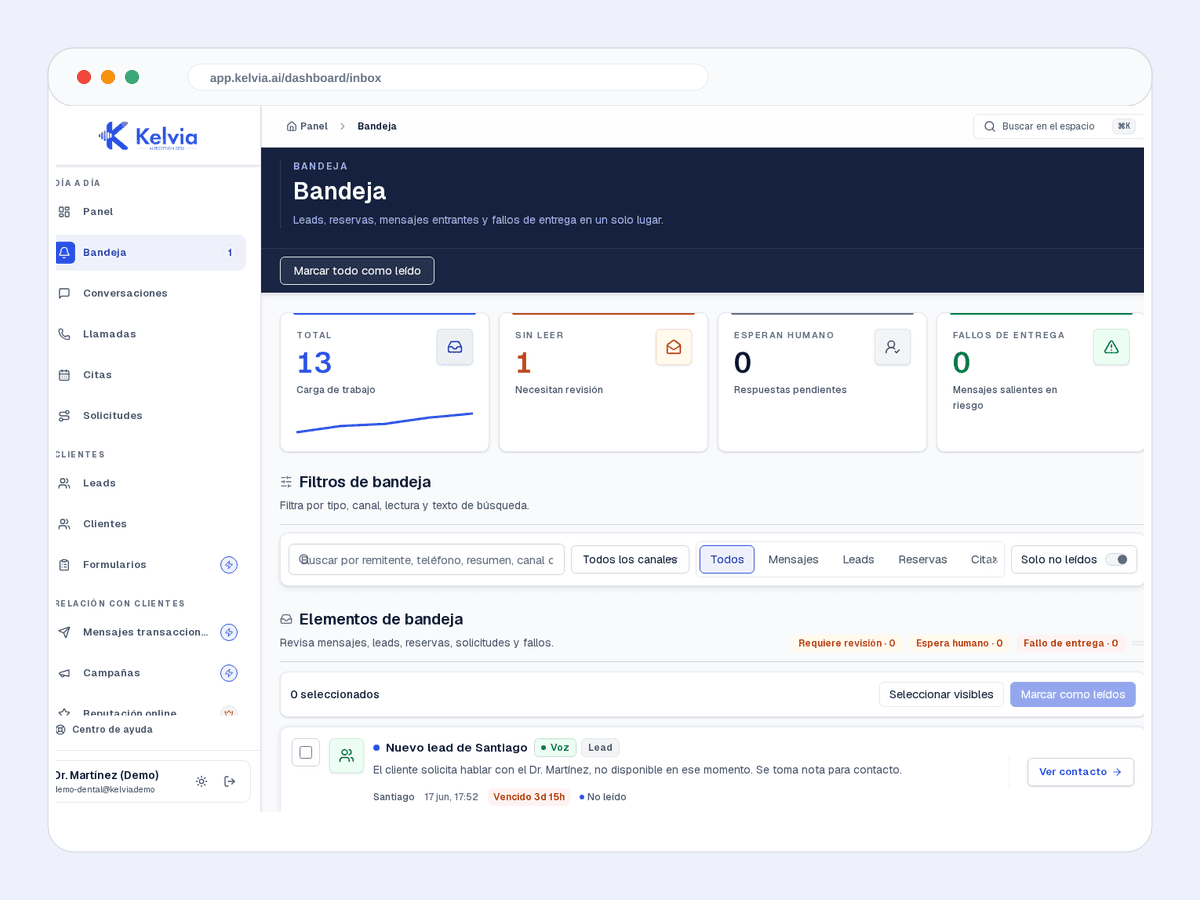
Leads, bookings, messages and failures in the same workflow.
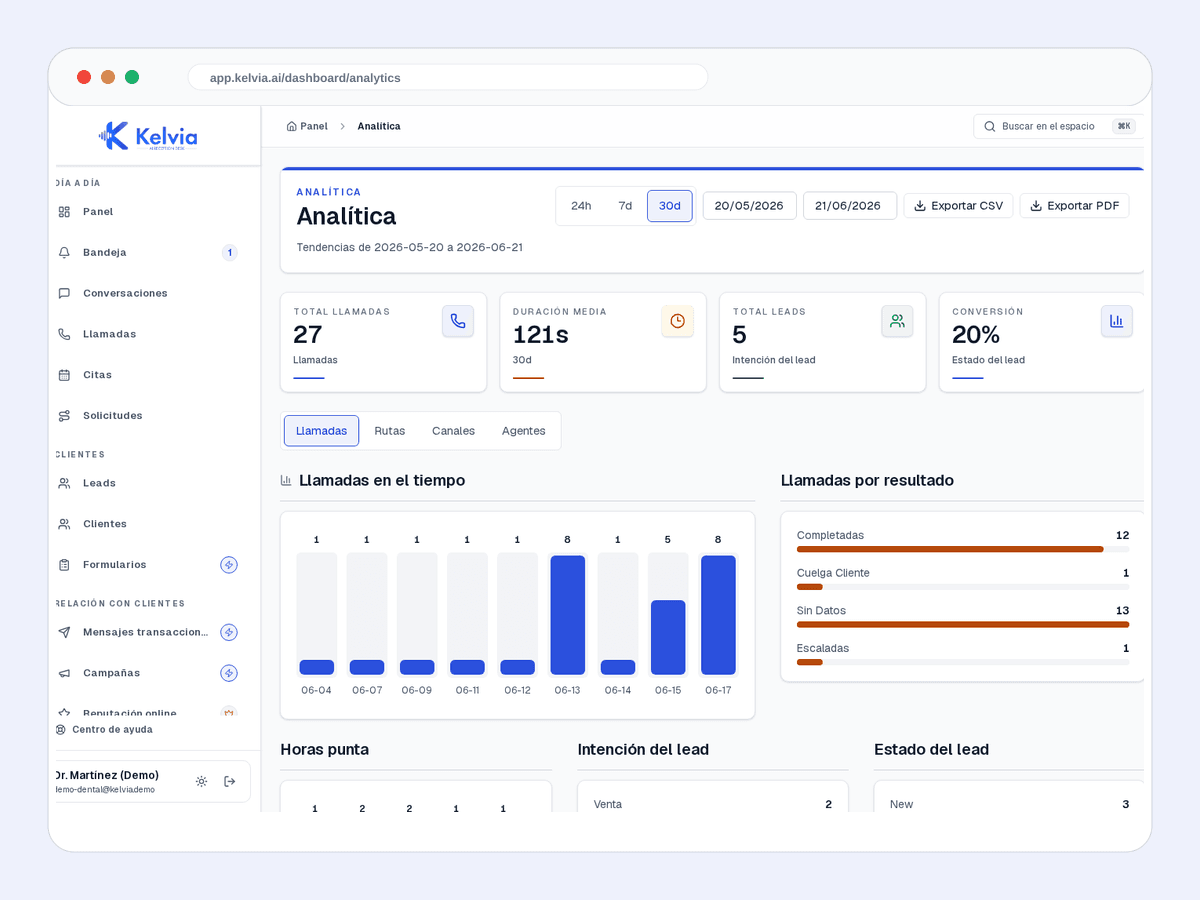
Volume, outcomes and operating performance by channel.
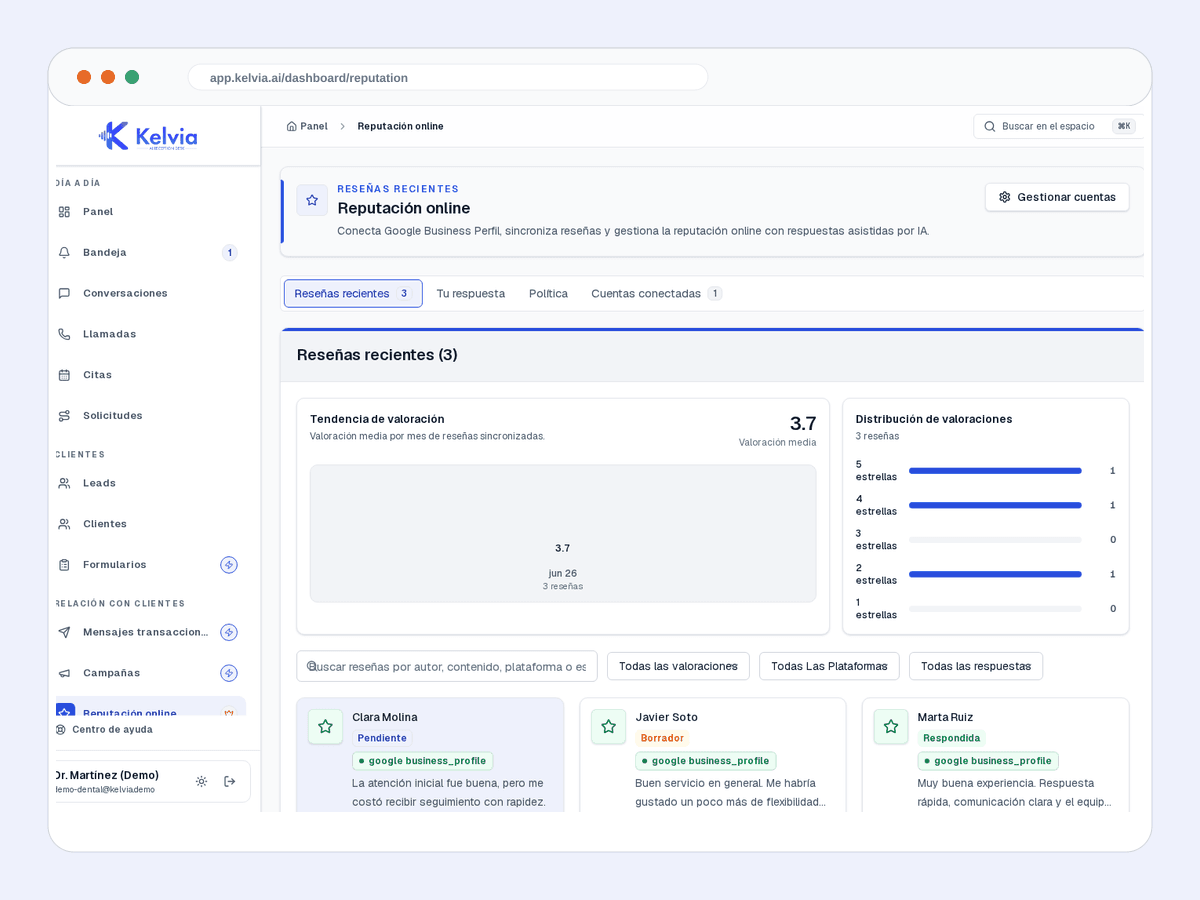
Alerts and tasks for protecting reviews and feedback.
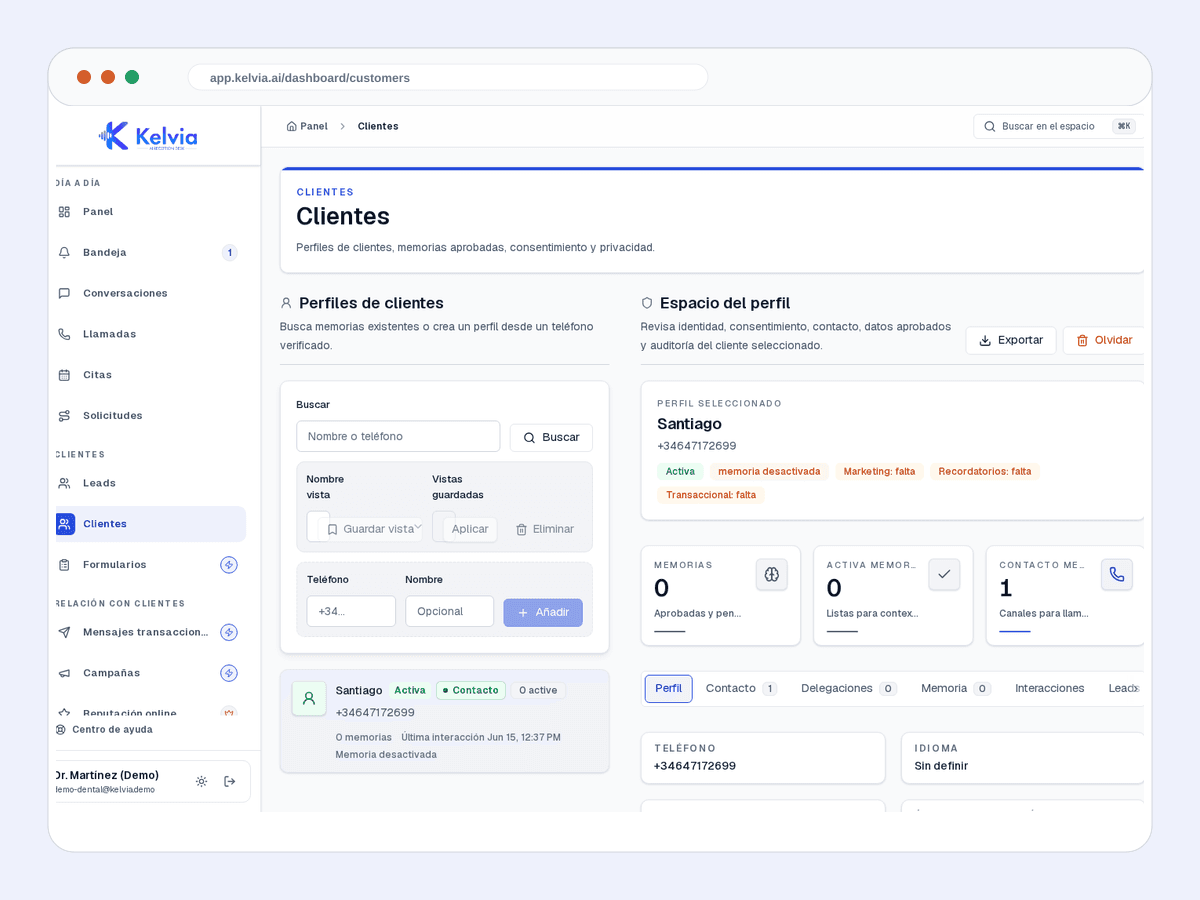
History, context and next actions for each customer.
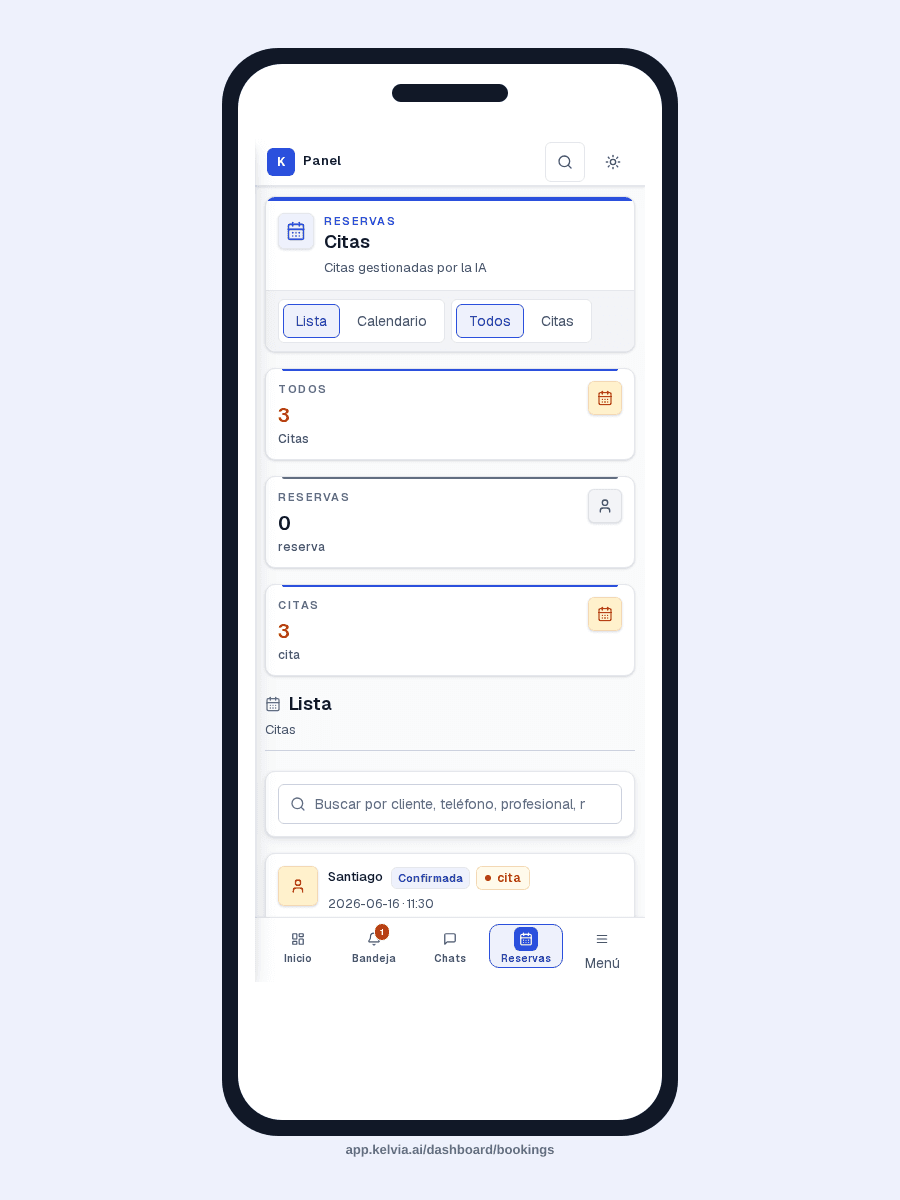
Agenda and reservations visible for teams on the move.
An example conversation between a customer and your AI front desk, handling a typical restaurants inquiry from first message to structured outcome.
Phone orders · Restaurant module
Take food orders by voice or chat using your own menu. Capture each choice, read back the order and total, and send the confirmed details to your kitchen. Keep table reservations alongside ordering.
“Two chicken doners, 300 g, pita, no onion. Make the second one beef.”
Separate choices for each item. Portions, bread, extras and exclusions stay attached to the right dish.
Manage dishes, prices, availability, options and declared allergens. Kelvia uses the information your team supplies.
Correct individual items and hear the complete order and total before submitting. Offer pickup or delivery within your configured area, fees and minimum.
Create a complete ticket for file output or a configured printer relay. Staff accepts the order and updates preparation status.
Answer status questions in the same conversation and request staff help when needed. Optional payment links use your configured provider and customer channel.
No Odoo required. Enable food ordering and configure your menu, kitchen destination and staff handoff. Delivery and payment links are optional.
Pre-configured capabilities designed specifically for restaurants. Works out of the box, then you customize everything from the dashboard.
Books tables with date, time, party size, name, phone and special notes through the restaurant booking workflow.
Answers questions about dishes, prices and allergens from the configured menu catalog.
Supports restaurant table capacity, service windows and assignments where table management is configured.
Looks up and cancels existing reservations by customer phone number after confirmation.
Can send confirmations and reminders through configured outbound channels with consent.
Routes reservations, events, complaints and manager requests to the right AI flow or verified team member.
Where Kelvia fits into day-to-day restaurants operations.
Let the AI answer reservation calls while hosts and servers stay with guests in the room.
Capture demand after closing without forcing guests into voicemail.
Serve callers in supported languages while keeping menu and reservation rules consistent.
Let guests check or cancel bookings through a controlled workflow instead of relying on callbacks.
This uses the same default sector assumptions as the full pricing calculator. Adjust calls, unanswered rate, value, and recovery on the pricing page.
198
missed calls/month
€4,158
monthly opportunity
Illustrative assumptions: 22 operating days/month, 30% missed calls, 60% conversion and €35 per customer.
Run the full calculatorCommon questions about using Kelvia for restaurants.
Kelvia includes a reservation workflow in the dashboard and supports restaurant table operations where configured. It does not require you to invent a separate phone process.
Yes. Restaurant tenants use the menu catalog and FAQ knowledge so callers can ask about dishes, prices, allergens and opening hours.
After verifying the guest, Kelvia lists only that guest's reservations and cancels the selected booking after explicit confirmation.
Yes. Kelvia uses routing aliases and the directory to find the right staff member or department, and transfers only to verified targets.
Start with an assistant configured for restaurants, then adapt the workflows, prompts, tools and handoff rules from your dashboard.