
Your always-on AI front desk,
built for calls, chats, and bookings.
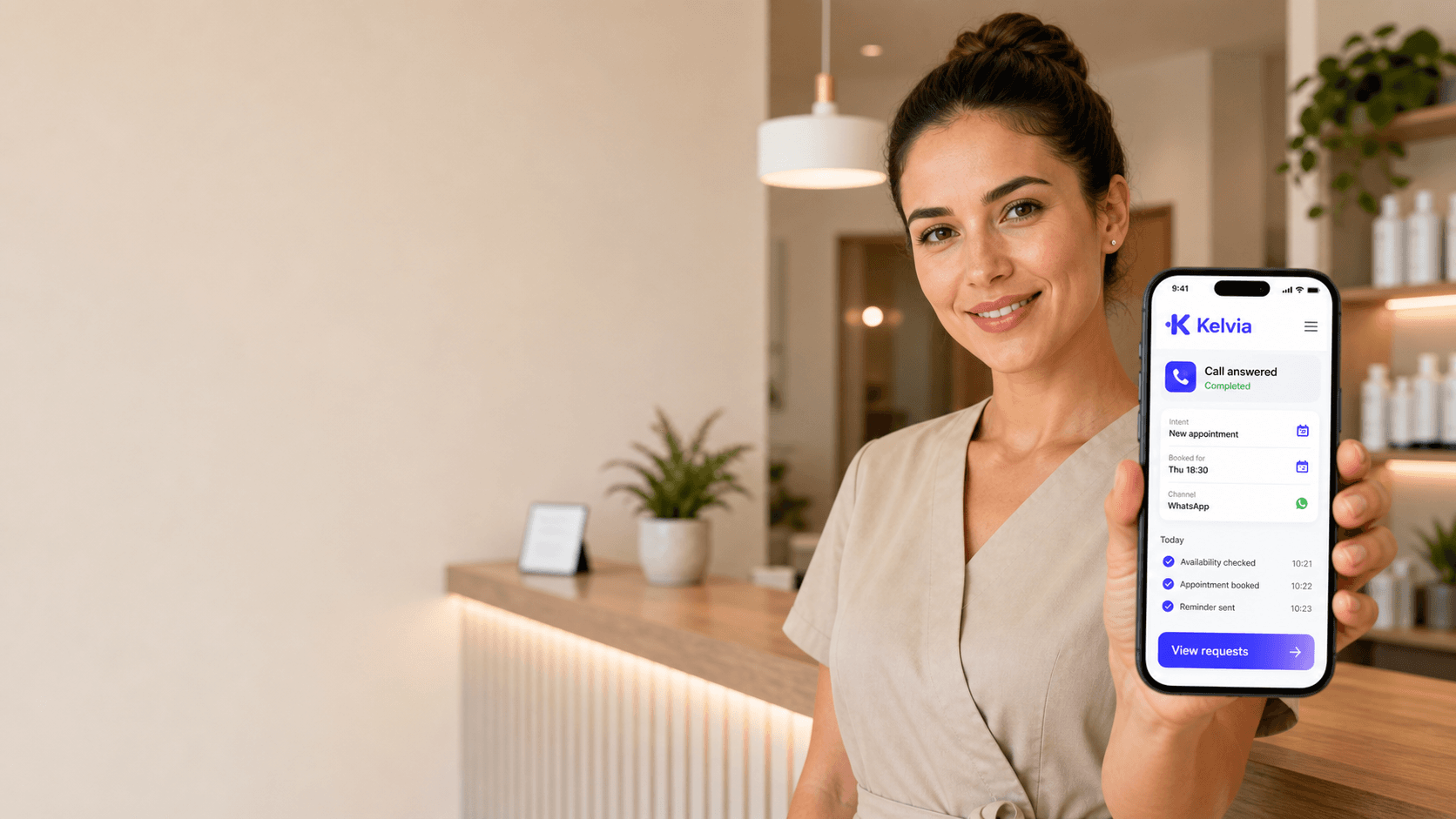
Kelvia answers calls, messages and email, books appointments and passes the next step to your team. Keep serving customers while your AI front desk handles the conversation.
One AI. Every conversation. All at once.
Handle concurrent calls and messages with shared business knowledge and clear handoffs. Capacity depends on your configuration and connected providers.
- ×1 call at a time
- ×Queue growing at peak hours
- ×Only during business hours
- ×One language per call
- ●Concurrent conversations
- ●Capacity depends on configuration
- ●After-hours answering
- ●Supported language selection
Illustrative workflow. Conversations, timings and outcomes are examples.
Phone orders · Restaurant module
From “no onion” to a complete kitchen ticket
Take food orders by voice or chat using your own menu. Capture each choice, read back the order and total, and send the confirmed details to your kitchen. Keep table reservations alongside ordering.
“Two chicken doners, 300 g, pita, no onion. Make the second one beef.”
Separate choices for each item. Portions, bread, extras and exclusions stay attached to the right dish.
Your editable menu
Manage dishes, prices, availability, options and declared allergens. Kelvia uses the information your team supplies.
Review, then confirm
Correct individual items and hear the complete order and total before submitting. Offer pickup or delivery within your configured area, fees and minimum.
Send it to the kitchen
Create a complete ticket for file output or a configured printer relay. Staff accepts the order and updates preparation status.
Keep the same order
Answer status questions in the same conversation and request staff help when needed. Optional payment links use your configured provider and customer channel.
No Odoo required. Enable food ordering and configure your menu, kitchen destination and staff handoff. Delivery and payment links are optional.
Explore restaurant orderingOne platform. 17 industries.
Start with the tone, questions and workflows for your industry. Adapt bookings, reminders, forms and handoffs to the way your business works.
Phone food orders and table reservations, together
Kelvia takes configurable food orders by phone and chat, reads back the choices and total, and prepares a kitchen ticket. Keep menu answers, table bookings, guest notes and staff routing in the same restaurant assistant.
- Reservation booking
- Menu-aware answers
- Table operations
- Booking self-service
- Confirmed follow-up
11 additional industries: Automotive Services, Property Management, Medical Clinics, Dental Clinics, Hair Salons, Barbershops, Spas and Wellness, Gyms and Fitness, Veterinary Clinics, Professional Services, Retail, other industries
View All IndustriesAutomatic reminders & confirmations.
Send confirmations and reminders through configured SMS, WhatsApp or email channels, with consent checks and delivery tracking.
Booking confirmations
Queue a confirmation when a booking is created; follow its delivery status.
GDPR Consent
Built-in consent tracking per phone, channel, and purpose for permission-aware messaging.
Booking message plan
Configured confirmations and reminders, with consent and delivery status.
Routine changes without risky access
Let customers manage their own bookings and staff handle their day, with identity checks and permissions built in.
Identify
Verify
Confirm
Update
Customers change their own bookings
A verification code protects appointment lookup, cancellation and rescheduling. Customers confirm changes before they happen.
Professionals see their own day
Staff see their appointments, block availability and add notes within their assigned access.
Email becomes a real channel
Verified inbound email can identify known customers; staff review prepared replies before sending.
AI remembers what matters without making customers repeat themselves
Remember useful preferences and help verified customers pick up unfinished work in their next conversation.
Continue unfinished work
After customer verification, a paused quote, booking, order, or support request can resume without starting over.
Useful preferences
Language, preferred channel, usual services, and notes are recalled when they help.
Control and consent
Memory is designed to stay tenant-scoped, auditable, and privacy-aware.
Sofia Martin
Recognized customer
Voice
Asked to move a booking
Chat
Confirmed new time
Form
Updated preferences
Turn every public review into a fast, on-brand reply.
Bring Google reviews together, draft replies in your brand’s voice and approve sensitive responses before publishing.

Illustrative workflow. Conversations, timings and outcomes are examples.
Unified review inbox
Google Business Profile
Amazing service and super fast response.
We had to wait too long and support never called back.
Very helpful staff and easy appointment booking.
AI reply studio
BusinessThank you for sharing your feedback, Daniel. We're sorry the response time didn't meet expectations. Our team would like to review what happened and help directly.
Collect structured data during every conversation.
Guide customers through your questions and save answers for review. Add document extraction on Business to prefill forms from uploaded files.
AI Intake Form
Insurance Pre-screening
AI Assistant
Hello! I'll need a few details to prepare your quote. What is your full name?
Caller
John Martinez
AI Assistant
Thanks John! And your date of birth?
Caller
March 15, 1985
Enterprise-quality AI voice. Without being tied to one provider.
Kelvia supports Google Gemini, OpenAI and ElevenLabs. Gemini is the default; Business and Enterprise can select another supported engine. Test your preferred language and customer scenarios before launch.
Google Gemini
Multimodal Live
Default voice engine. One credit covers one minute in the published pricing model.
✨ Change the engine anytime from your control panel. No migrations, no lock-in.
We're launching. Join as a founder.
Kelvia is in early adoption. The first 50 businesses that join get advantages that will not be available later.

Personalized setup
A 1-to-1 video call with our team to configure your AI assistant, adapt it to your industry, and connect your tools.
Lifetime locked price
The price you pay today is the price you always pay. Even if we launch new plans or raise rates, your subscription does not change.
Direct roadmap access
Your opinion shapes what we build. Priority on features you request and access to new functionality before the rest of the market.
Limited spots · No commitment · Reply within 24h
How much revenue leaks before anyone answers?
This uses the same default sector assumptions as the full pricing calculator. Adjust calls, unanswered rate, value, and recovery on the pricing page.
132
missed calls/month
€5,940
monthly opportunity
Illustrative assumptions: 22 operating days/month, 30% missed calls, 30% conversion and €150 per customer.
Run the full calculatorEverything you need to run customer operations
Connect the conversation to the work: bookings, customer records, team requests and follow-up, managed from one dashboard.
Industry-Tuned AI Voice
Pre-configured prompts, vocabularies, and tone for each vertical. Your assistant sounds like a trained employee from day one.
Learn moreTeam Routing Queue
AI understands support, sales, billing, urgent issues, managers, and named-person requests across calls and chats, then routes or queues the work for the right team.
Learn moreTeam & API Access
Invite your team with role-based permissions. Generate API keys for third-party integrations. Review audit events for sensitive actions.
Learn moreIntegrations Built-In
Google Calendar, Stripe billing, CRM sync, webhook notifications, and push alerts. Connect your stack or use ours.
Learn moreAI Profiles & Routing
Route sales, support and bookings to the right AI profile. Test changes, publish a version and roll back when needed.
Conversational Commerce
Search your connected catalog and prepare quotes or order requests for review. Payment links depend on the provider.
Omnichannel AI
Share business knowledge and assistant rules across connected voice, WhatsApp, Telegram, webchat and email channels.
Kelvia Customer Memory
Verified customers can keep useful preferences and resume unfinished work across voice, chat, and email.
Verified self-service
Let verified customers manage their own bookings and staff manage their assigned calendars.
Launch from guided setup
Keep your number, get a managed Spanish number after verification, or connect your PBX — guided onboarding with vertical presets.
Intake forms and document OCR
Collect structured answers in voice or chat, then use Business document intake for OCR, prefill, review, and audit.
Reseller Program
Package Kelvia under your client relationship with controlled branding and managed client accounts.
Controlled knowledge for each AI profile
Give each AI profile the right websites, notes, supported text files, services and FAQs. Choose which sources it can use.
See what needs attention
Follow response and resolution times, overdue requests and team workload in operational analytics.
Keep your number, get a verified number, or connect your PBX.
Choose call forwarding, a verified Spanish number or an Enterprise PBX connection. Activation depends on your setup.
Fastest path: call forwarding
Keep your current number
Forward missed, busy, after-hours, or all calls to Kelvia and validate routing with a test call.
Managed path: verification first
Managed Spanish number
Kelvia can provide a Spanish number after company, tax, representative, and address verification. Activation is not instant.
Enterprise path: planned rollout
SIP trunk
Connect a supported PBX through an Enterprise rollout, with VPN connectivity and transfers to internal extensions or departments.
Live with guided setup
Three simple steps to transform how your business captures demand, books customers, and follows up.
From signup to first live assistant
Three simple steps to transform how your business captures demand, books customers, and follows up.
Register your business
Choose your industry, add the basics, and Kelvia prepares the first assistant setup.
Customize your AI assistant
Tune voice, language, services, team rules, and booking logic from one dashboard.
Go live and grow
Start answering, capturing leads, booking appointments, and routing requests in real time.
Try it now. No sign-up needed.
Explore a fully configured dashboard for any industry — complete with sample data, services, and AI prompts. One click to get in.
Early access available
During launch, the Kelvia team supports the initial setup so every business starts with an assistant adapted to its industry.
Start with a free trial, choose the plan for your business
Try Kelvia with trial credits, then choose a monthly plan. Gemini is the default voice; OpenAI and ElevenLabs require Business. Connect external providers before using their features.
Monthly
Tools for reviewing customer work
Business: bring connected Google reviews together, draft replies and approve sensitive responses across locations.
Review available recordings, transcripts and summaries for coaching. Recording depends on channel, configuration and consent.
Use available sentiment, summaries and request status to identify conversations that need attention.
Configure questions and review captured answers. Business adds document extraction (OCR) to prefill an intake draft.

Trial active
No credit card required
Billing FAQ
Ready to put your AI front desk to work?
Start with your business information, try a conversation and connect the channels your customers use.