
Odoo CRM
From first contact to sales follow-up
Kelvia saves the contact and, when Odoo is connected, sends the details and summary so sales can continue.
Kelvia turns conversations into completed work: send contacts to Odoo, coordinate appointments with Google Calendar, and check catalogs, prices, and stock in the commerce platforms your team already uses.
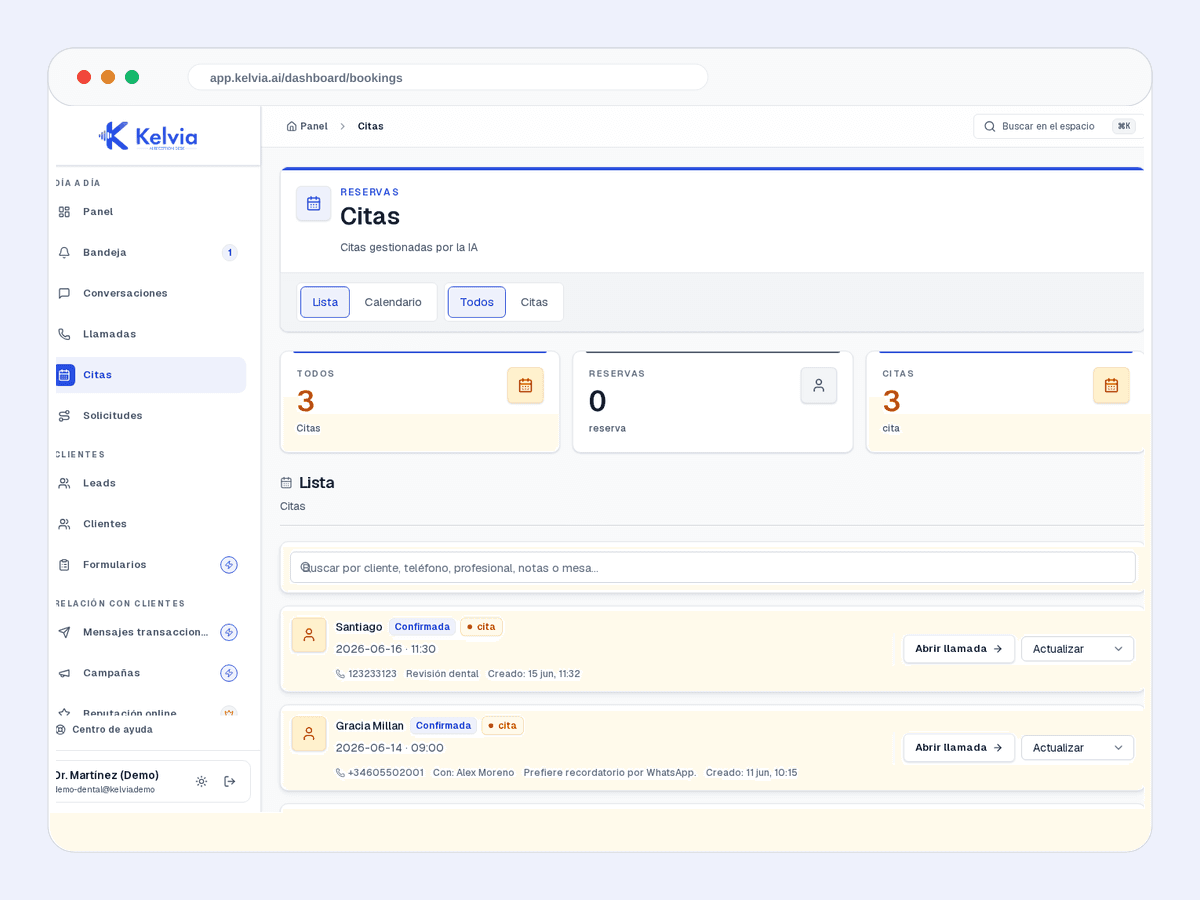
Real Kelvia dashboard capture with demo data.
Choose the connections your operation needs. Kelvia passes the information on and keeps the result visible to your team.
Odoo CRM
Kelvia saves the contact and, when Odoo is connected, sends the details and summary so sales can continue.
Google Calendar
Check busy time and create the event in the configured calendar when an appointment is confirmed.
Apaleo and Mews
For configured hotels, Kelvia looks up stays and records requests in the PMS the team already uses.
Shopify, WooCommerce and PrestaShop
Kelvia checks the configured catalog, price, and availability so customers receive commerce data instead of invented answers.
Odoo and Spacio
Connect catalog and availability data from the commercial system so Kelvia can find products and leave requests ready for staff.
Availability depends on plan, provider, and account configuration.
| Connection | Read / write | Setup and access |
|---|---|---|
| Google Calendar | Read busy slots; create events for confirmed bookings. | Authorize the configured calendar. Available from Starter. |
| Odoo CRM | Create a lead after it is saved in Kelvia. | Configure the Odoo account and CRM connection. From Professional. |
| Odoo Commerce | Read catalog and availability; submit draft quotes when enabled. | Odoo connection and catalog sync. Business + Commerce add-on. |
| Shopify / WooCommerce / PrestaShop / Spacio | Read catalog and supported current price or availability. Enabled actions depend on the connector. | Store credentials and catalog sync. Business + Commerce add-on. Confirm quote, order and payment support separately. |
| Apaleo / Mews | Read stay context; register supported hotel requests. | Hotel setup, PMS credentials and supported stay/request mapping. Review access with the team. |
Native connections are available for configured accounts. Demo screens use sample data; opening a demo does not connect your provider or validate a live transaction.
Explore catalog and quote demoAPI keys and notification webhooks are Business entitlements. The universal API and event webhooks are a separate private beta. Contact us to confirm the supported actions and access for your account.
Marketplace publication is separate from connector implementation. Zapier and Make are not publicly installable listings yet.
Example: connect a customer request to an internal workflow and return a result your team can review. Available actions depend on the beta contract and account permissions.
Discuss API accessThese are real product captures, not invented dashboards: contacts, appointments, and quotes your team can open and manage.
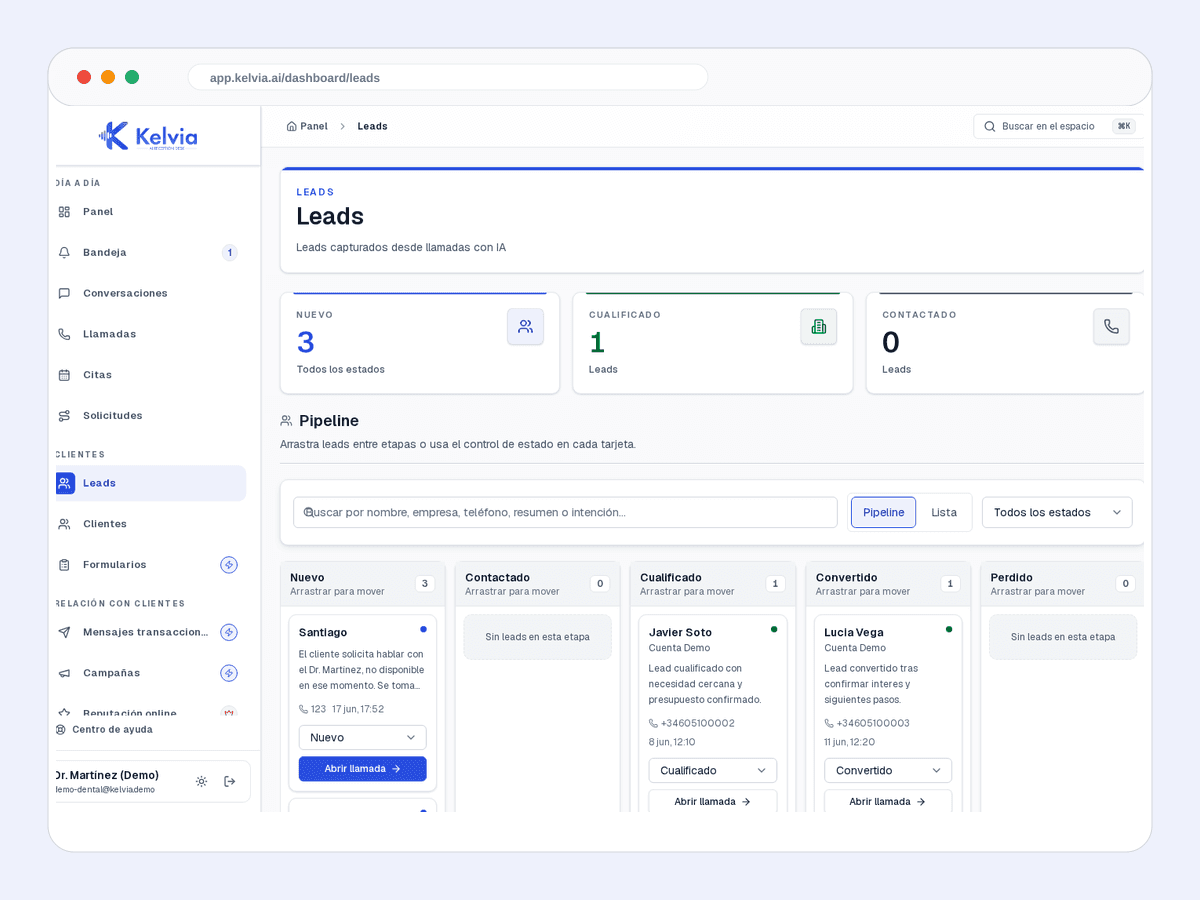
Name, phone, intent, and summary remain visible in Kelvia. When configured, Odoo also receives the contact.
Staff can see who is coming, when, and with whom. Google Calendar can provide busy time and receive the appointment event.
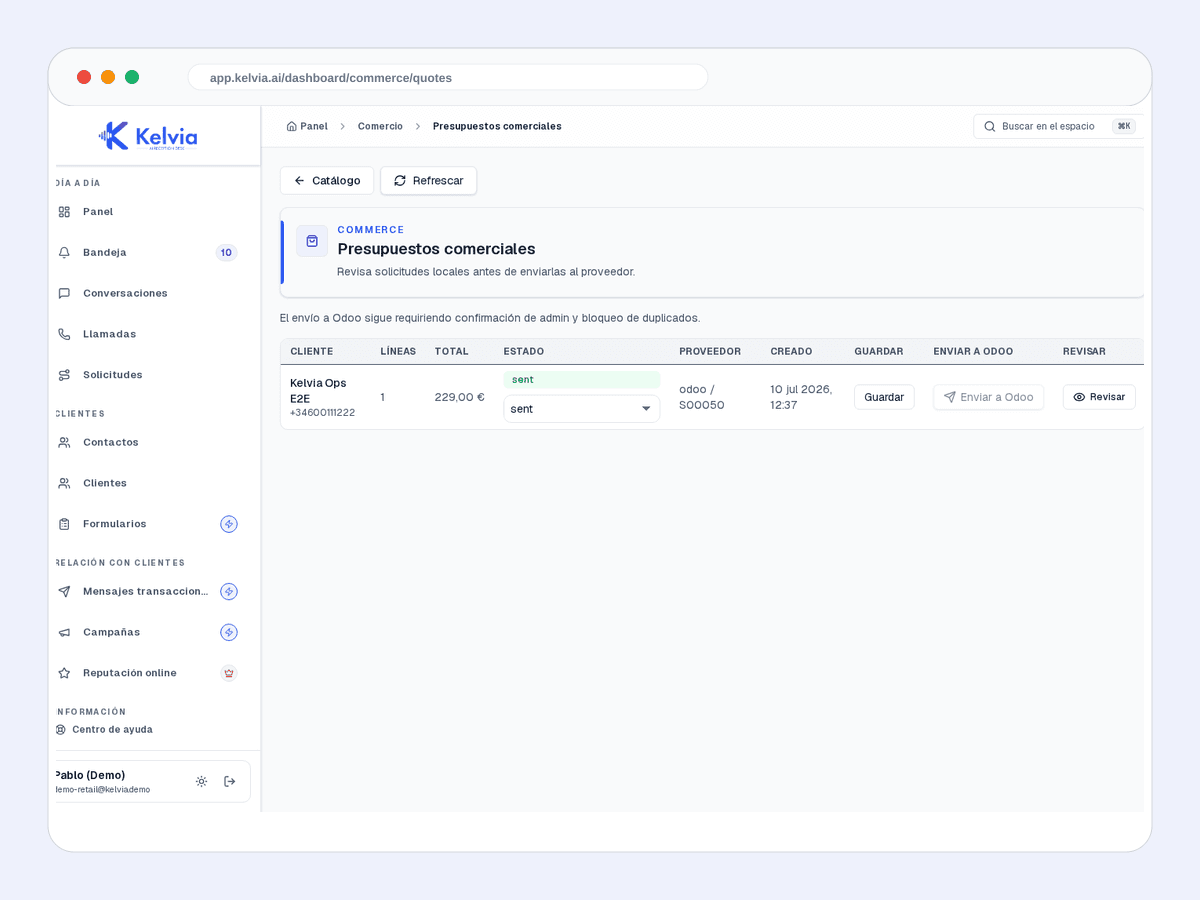
A conversation can end in a visible quote with line items, total, and status before any provider submission.
They call or message to ask, book, or explain what they need.
The assistant checks permitted data and gathers what the task requires.
The contact, appointment, or request appears where staff can continue.
We can help create alerts, follow-up, and connections to your own processes. n8n can be installed on the validated self-hosted setup. Zapier and Make connectors are not available yet.
We will tell you what connects today and what needs a tailored implementation.
No. Kelvia connects to supported providers you already use. If your system is not listed, we review the case before promising an integration.
Kelvia saves the new contact first. A CRM outage does not prevent your team from finding it in the dashboard.
No. The packages are prepared, but Kelvia does not yet have published apps or available installations on Zapier or Make.
Yes, when the use case fits the available private connections. We define exactly what data enters, what actions leave, and who remains in control.
Tell us where your team works today and we will help connect Kelvia without replacing your entire operation.
Availability depends on plan, provider, and account configuration.