
Charts and values below illustrate demo data, not customer results.
Your business, under control.
Real-time data.
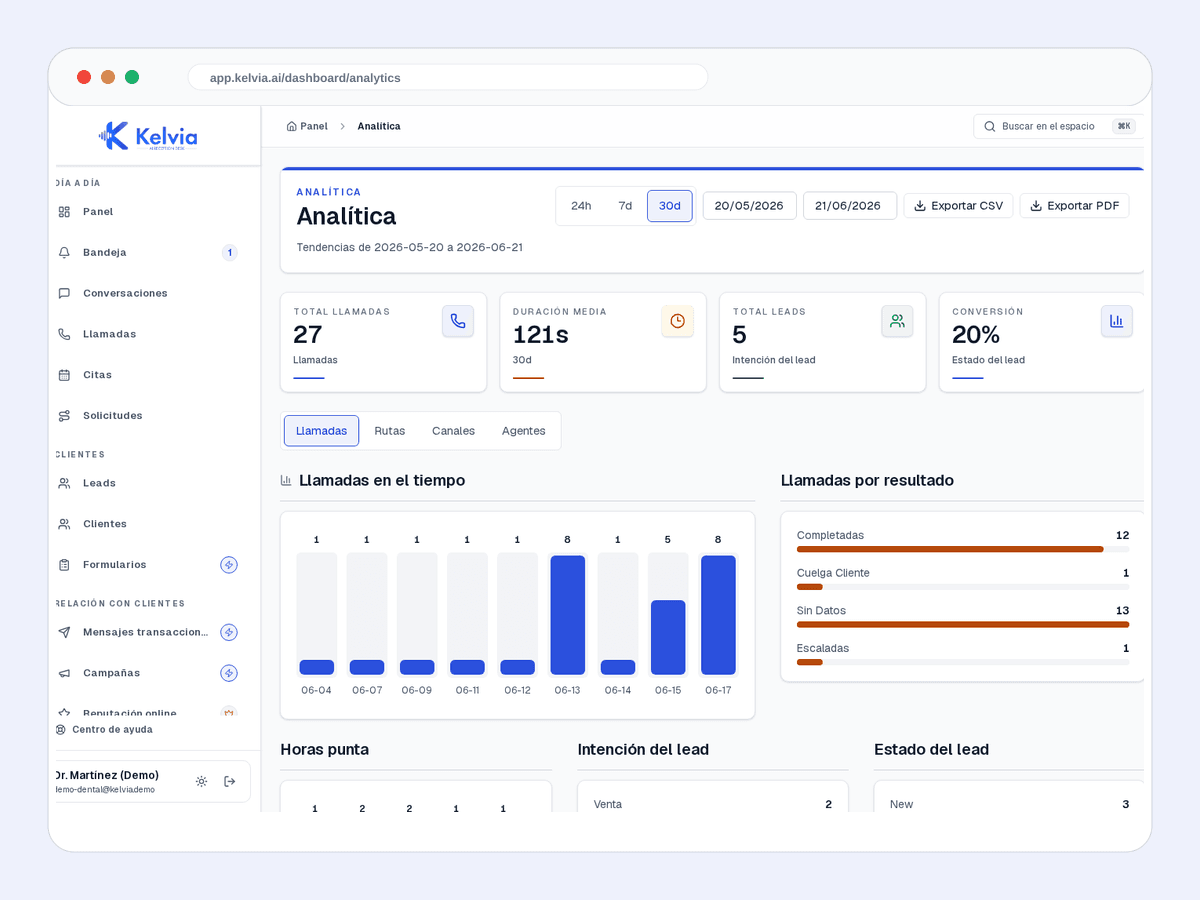
Real-time dashboards for calls, chats, bookings, intake forms, leads, reviews, conversions, and trends — data that explains the whole operation.
Find the work that needs a decision
- 01
Review first-response and resolution times alongside overdue and unassigned requests.
- 02
Compare staff and department workload to decide where an owner or extra coverage is needed.
- 03
Check transfer outcomes alongside call activity. Use the appropriate request, conversation or call report for each measure.
Reports reflect recorded activity and the selected filters. The screenshot uses demo data, not measured customer performance.
Explore the demo dashboardUnderstand every interaction and outcome.
From conversation volume to bookings, funnels, handoffs, and reputation — everything visible in a dashboard designed for fast decisions.
Conversation analytics
Total calls and chats, average duration, hourly distribution, channel, and outcomes — compare by day, week, or month.
Lead funnel
Visualize each lead's journey: captured, contacted, converted, discarded. Real-time conversion rate.
Peak hours
Identify when you receive the most calls and when drop-offs happen. Optimize schedules and staffing.
Full history
Every conversation generates history with roles (customer/AI/staff), tools used, events, and outcome. Export or filter.
Outcome distribution
Appointment booked, lead captured, form completed, review replied, transferred, or info provided — see what the AI does with every interaction.
Time series
Trend charts by day, week, and month. Spot patterns and measure the impact of changes.
Turn handoffs into managed work.
Analytics shows volume, outcomes, and handoffs. The operating inbox is where staff take those items, see priority, and continue with history.
Reviewable events for important actions.
Change log
Sensitive admin actions are logged with timestamp, user, and change details.
Product events
Tools, channels, API keys, campaigns, reputation, and document intake create reviewable events.
Filter by type & date
Browse the history by action type or date range directly from the dashboard.
Make better decisions with data.
Every conversation, lead, booking, form, and review — all visible in your dashboard from day one.